I couldn’t find this tool, so I made it

Those .sd2 files nothing else will open? Drop them here.

SD2 Reviver rescues old Sound Designer II audio—even the files that lost their Mac metadata and won’t open in anything anymore—and bounces them to clean, archival WAVs.

$11 Free until September 15 · macOS 13+ · Apple Silicon · Signed & notarized by Apple

Why it exists

The audio never left. The instructions for reading it did.

Sound Designer II was the native format of Digidesign Pro Tools through the ’90s and early 2000s. Countless mixes and masters still live on old drives as .sd2 files.

Here’s the catch: an SD2 file keeps its audio in one place, but its format description—sample rate, bit depth, channel count—lived in the Mac resource fork. Copy the file to a non-Mac drive, a cloud service, a zip, or most modern backups, and that metadata is silently stripped.

When it’s gone, the audio is still in there as raw PCM—but nothing knows how to read it. FFmpeg misidentifies the file. Apple’s own converter throws an error. The audio looks lost.

Recovering it used to mean hand-guessing byte formats on the command line, converting, listening for static or wrong-speed playback, and trying again—an expert, tedious, trial-and-error slog.

SD2 Reviver automates all of it. You drop the file in; it figures out how to read the bytes by analyzing the audio itself, and hands you a clean WAV. It reads the audio, not the metadata—so it works when everything else quits. And if it can’t crack a file on its own, you can tune the settings by hand; if that still won’t do it, send it over and we’ll try to recover it ourselves—and improve the app in the process.
The whole point

Unreadable file in. Playable WAV out.

Before ■ won’t open · nothing reads
An empty waveform view — the .sd2 file open in an editor with no readable audio, just flat channel lines.
final_FINAL_usethisone_v4.sd2 error / unreadable
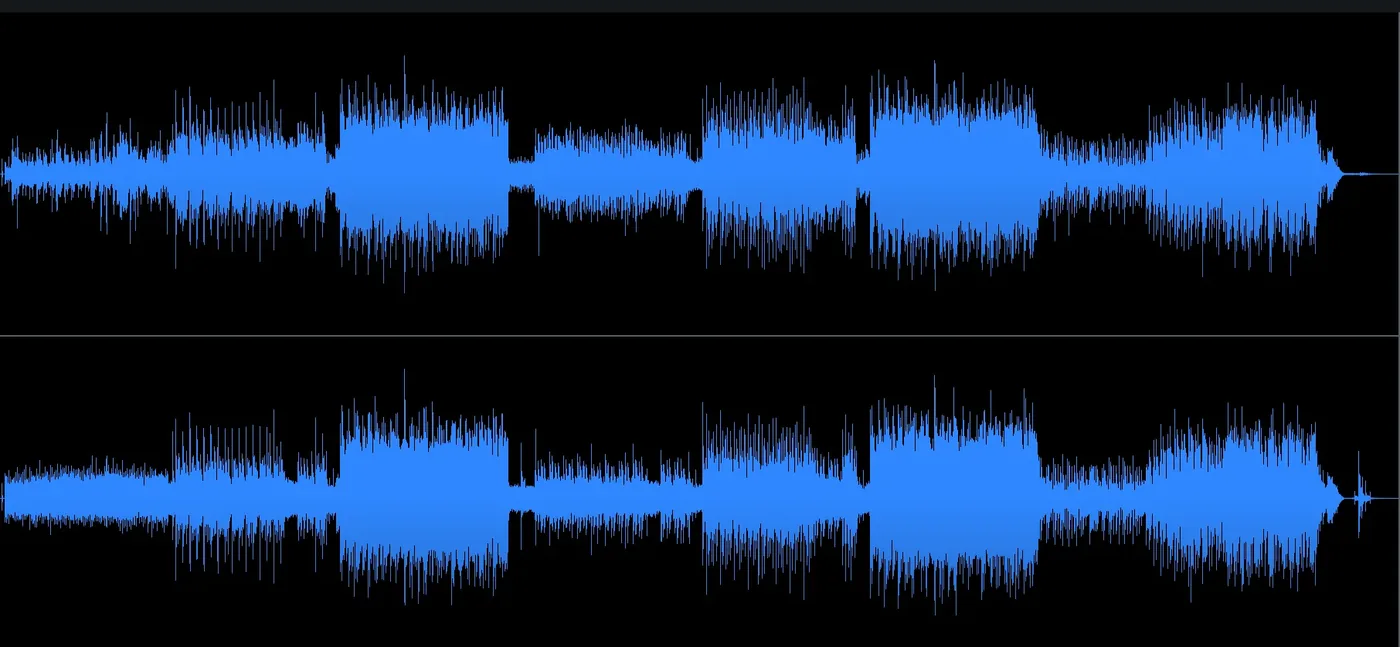
After ● clean · archival
A full, clean stereo waveform — the recovered audio as a playable WAV.
final_FINAL_usethisone_v4.wav 48 kHz · 24-bit
What it does

Built for the files everything else refuses.

Drag-and-drop simplicity

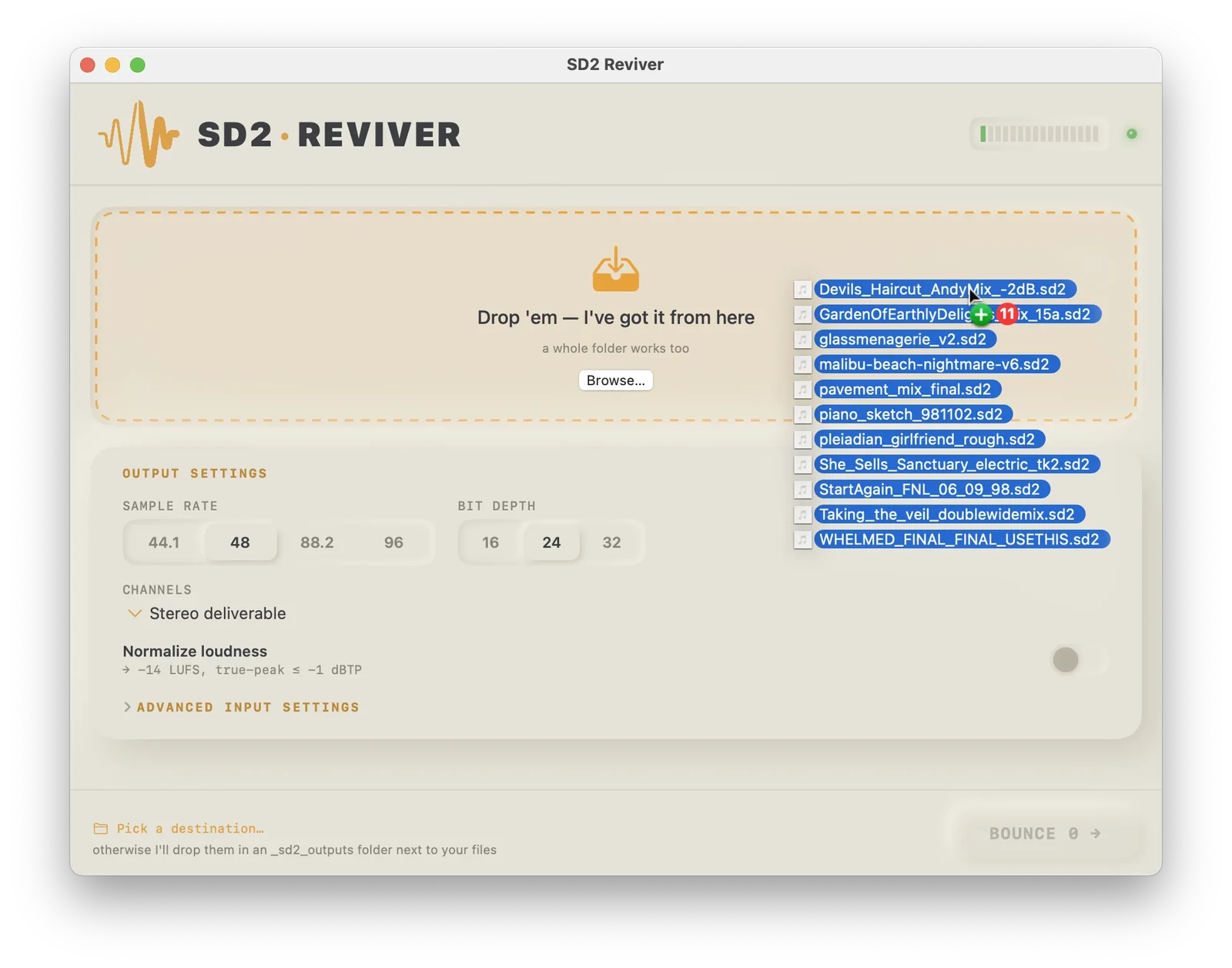
Drop .sd2 files or whole folders right on the drop zone. Or click to browse. No command line, no setup.

Automatic byte-format detection

For files missing metadata, it tries every plausible interpretation—16- or 24-bit, big- or little-endian—and keeps the one that reads as real audio instead of static.

Automatic channel detection

Correctly identifies mono, stereo, and even dual-mono, dodging the classic traps: mono read as stereo (2× too fast) and stereo read as mono (half speed).

Auto-correction

If a file would come out as static, it silently retries with the best-scoring format. If nothing works, it flags the file instead of writing a wall of noise to disk.

Listen-to-verify preview

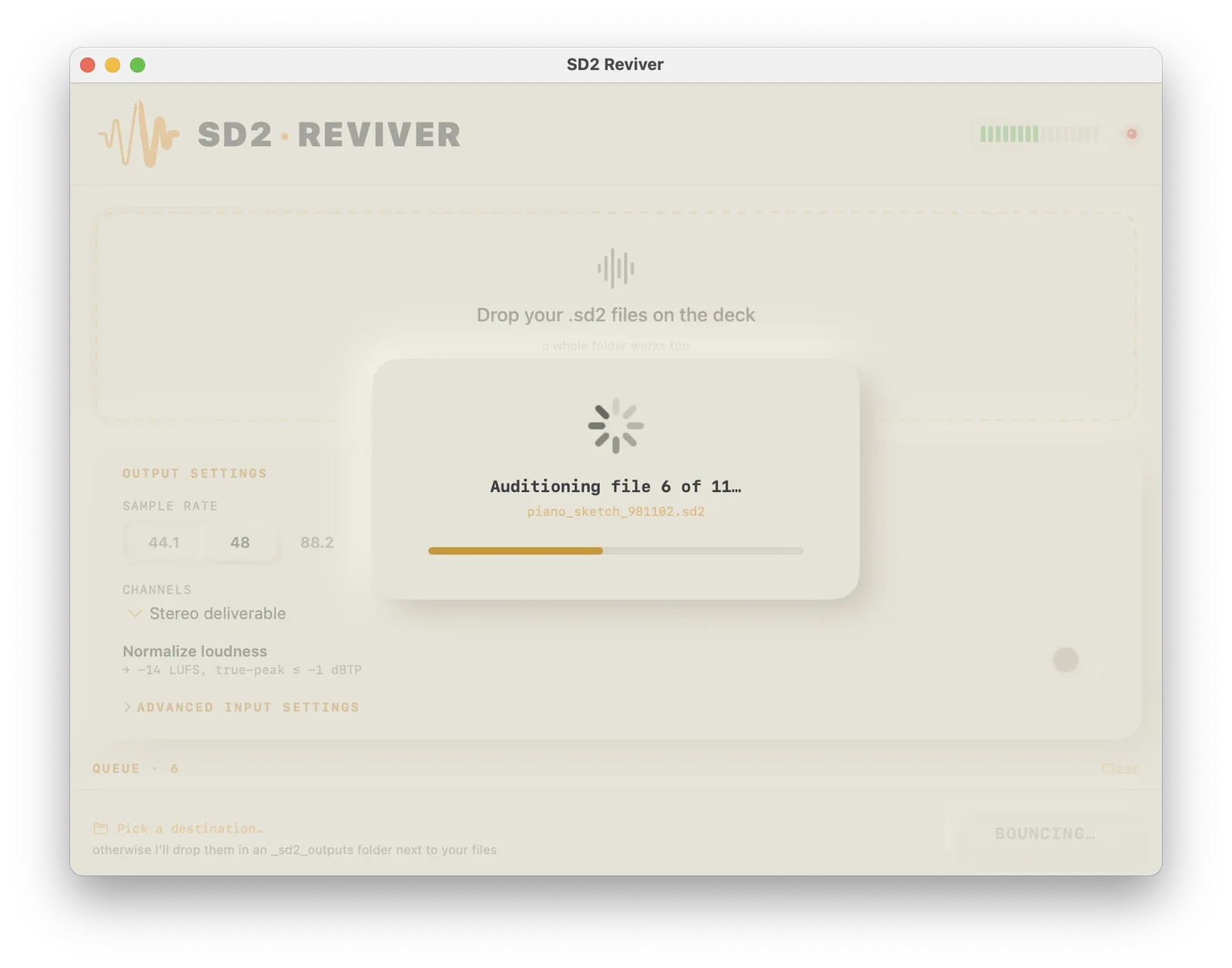
Audition ~4 seconds of any file at the current interpretation before you commit. Your ear is the final check.

Your choice of output

Sample rate (44.1 / 48 / 88.2 / 96 kHz) and bit depth (16 / 24 / 32-bit), plus channel options. Archival-grade, your spec.

Optional loudness normalization

An optional checkbox that lifts quieter files to a more comfortable level—around −14 LUFS, true peak held at −1 dBTP, measured with broadcast-standard BS.1770 metering. Handy for quiet material; skip it otherwise.

Batch-friendly

A working queue and a separate Completed list. It never re-converts files you’ve finished, and any file can be sent back to run again.

Safe by design

It never overwrites or alters your originals. Outputs go to a folder you choose, or a folder right next to your files, with unique names.

The flow

Five steps. Your originals never move.

1

Drop

Drag your .sd2 files onto the drop zone.

2

Analyze

It reads format and channels automatically and shows what it found.

3

Audition

Hit ▶ to confirm by ear, if you want the extra certainty.

4

Set

Pick sample rate & bit depth. Tick loudness normalization if you like.

5

Bounce

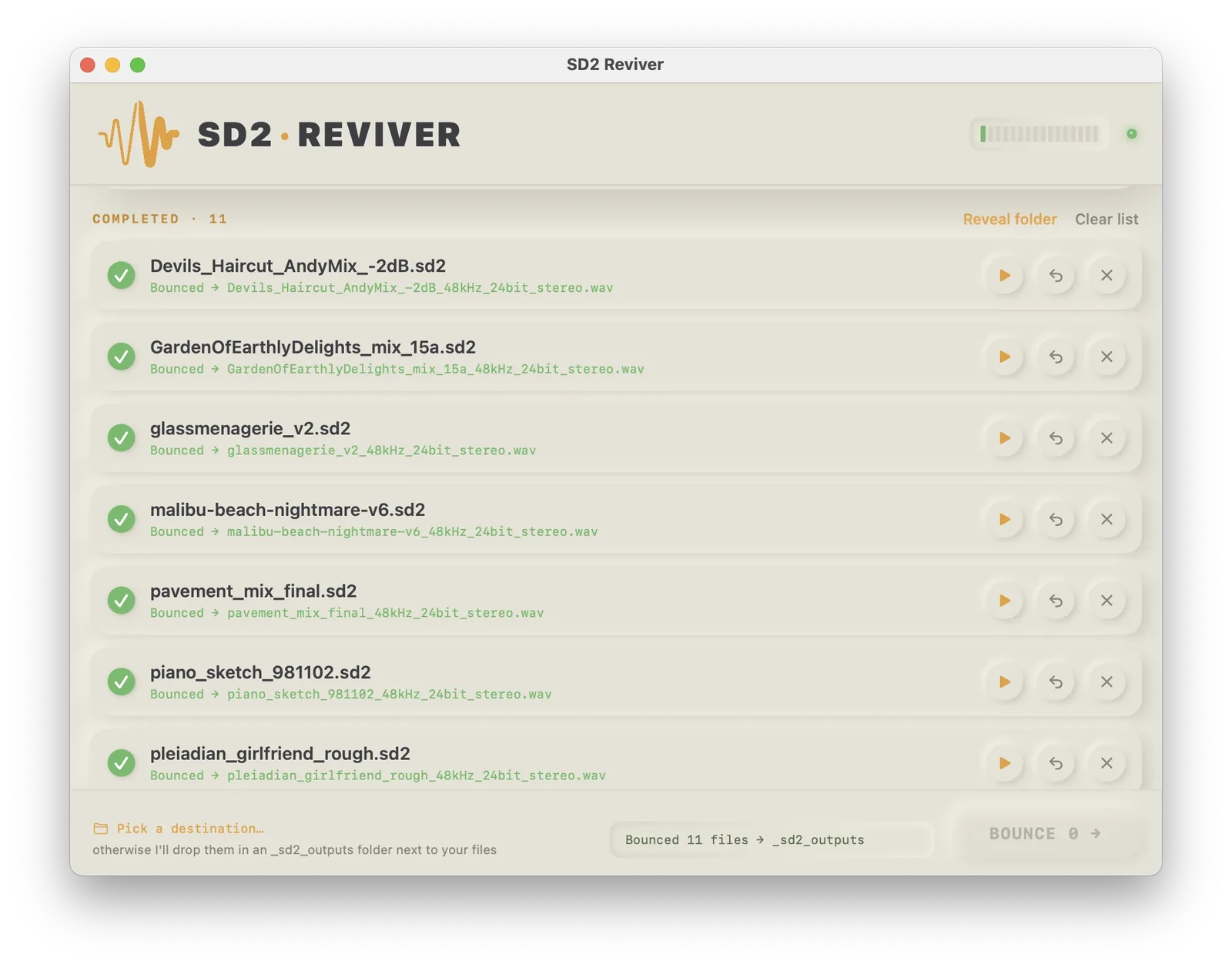
Clean WAVs land in your folder. Originals untouched.

SD2 Reviver with a batch of eleven .sd2 files being dragged onto the drop zone, ready to bounce.
A progress dialog reading “Auditioning file 6 of 11” with a progress bar, previewing a file before bouncing.
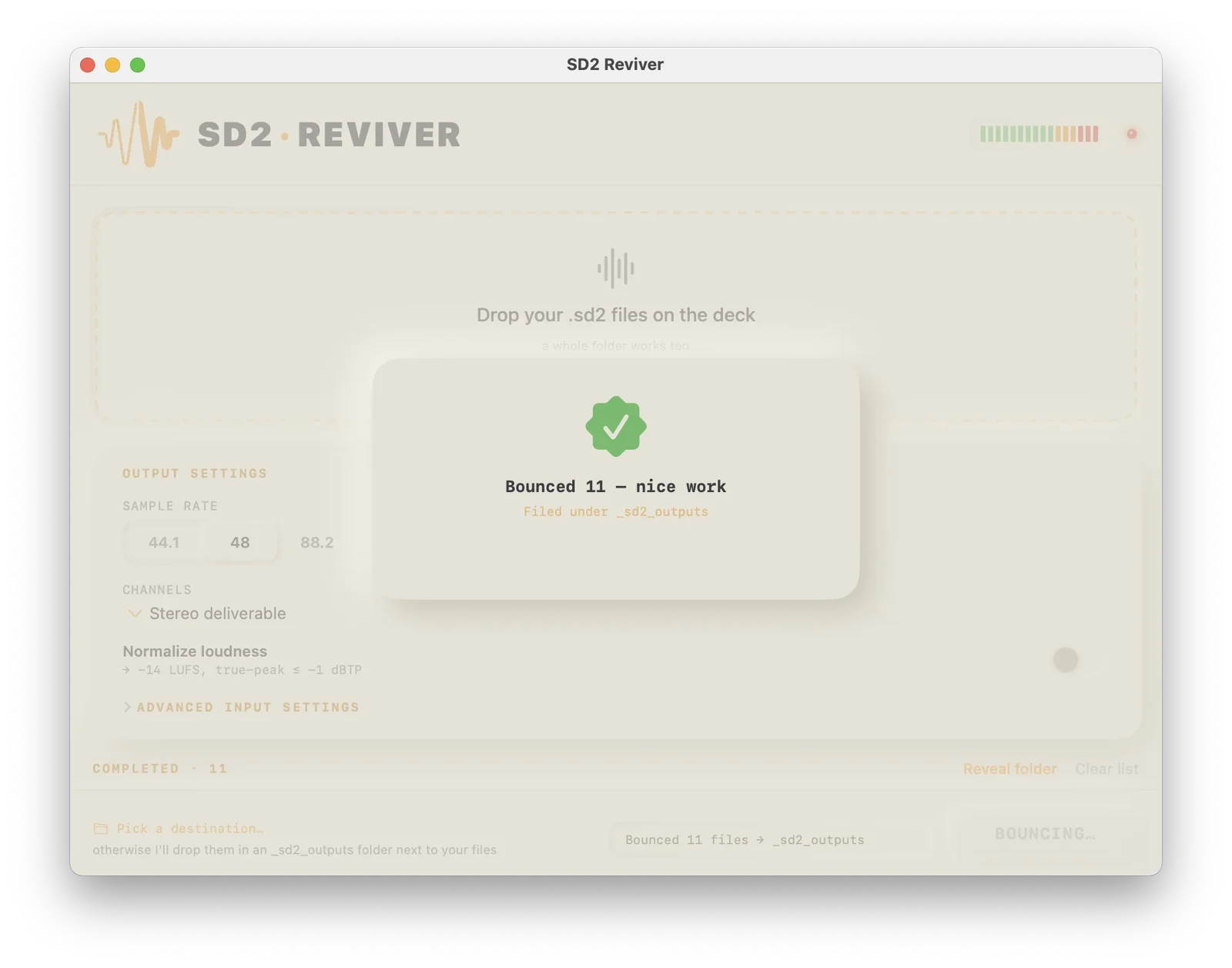
A green checkmark dialog reading “Bounced 11 — nice work,” filed under the _sd2_outputs folder.
The completed list showing eleven .sd2 files bounced to 48 kHz, 24-bit stereo WAVs, each marked done.
Questions

FAQ

What is an SD2 file, and why won’t mine open? +
Sound Designer II (.sd2) was Digidesign Pro Tools’ native audio format for years. The audio is stored as raw PCM, but the description of that audio—sample rate, bit depth, channel count—lived in the Mac “resource fork.” That fork gets stripped whenever the file is copied to a non-Mac drive, a cloud service, a zip, or most backups. Without it, tools can’t tell how to read the bytes, so the file appears broken.
What does “resource fork” mean, exactly? +
Classic Mac files had two parts: a data fork (the actual content) and a resource fork (extra metadata). SD2 kept its format details in the resource fork. Modern, non-Mac filesystems have no concept of it, so copying an SD2 anywhere “foreign” quietly drops the part that explains the audio—leaving the audio itself intact but unlabeled.
Is my audio uploaded anywhere? +
No. SD2 Reviver makes zero network connections—no telemetry, no analytics, no data collection of any kind. Every file is analyzed and converted locally on your Mac. Nothing ever leaves your machine.
What if a converted file still sounds wrong? +
Use the built-in preview to audition ~4 seconds before committing. The app auto-detects the best byte format and channel layout, but if your ear disagrees you can override the interpretation and re-run. Nothing is written until you’re satisfied, and your original .sd2 is never altered. Still stuck? Send it our way—if we can recover it, we’ll update the app to handle whatever anomaly your file had.
How does it tell mono from stereo? +
It analyzes the audio to identify mono, stereo, and even dual-mono files. That avoids the two classic recovery traps: a mono file misread as stereo (plays 2× too fast) and a stereo file misread as mono (plays at half speed).
What is loudness normalization for? +
It’s an optional checkbox that lifts quieter files to a more comfortable listening level—around −14 LUFS with true peak held at −1 dBTP, measured with broadcast-standard (ITU-R BS.1770) metering. Most transfers don’t need it; it’s there for quiet material. Leave it off for a pure, unprocessed transfer.
What do I need to run it? +
An Apple Silicon Mac (M1–M4) running macOS 13 (Ventura) or later. That’s it. Nothing to install, and it’s signed & notarized by Apple, so it opens without security warnings.
Is this an Avid / Digidesign product? +
No. SD2 Reviver is an independent utility for the legacy Sound Designer II file format. It is not affiliated with, endorsed by, or sponsored by Avid or Digidesign.
Free until September 15

Bring your Sound Designer II archives back to life.

$11 Freefree until September 15 · then $11 · unlimited use
Signed & notarized by Apple Zero network connections Originals never touched

Requires an Apple Silicon Mac · macOS 13 (Ventura) or later · ~4 MB, self-contained